What is an Image Resolution? Know Everything About it
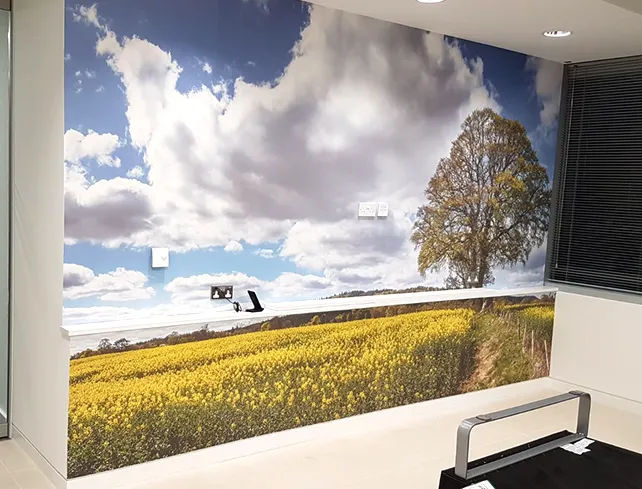
Image resolution is an important feature of photography that influences the quality and diversity of your images. Whether you're just starting out in photography or an experienced photographer trying to improve your skills, this guide is for you. We’ll break down the technicalities of pixels, explore the magic behind DPI and PPI, reveal the power of high-resolution photography, and equip you with an understanding of how resolution affects image quality, printing, and digital display.
What is Image Resolution?
Imagine resolution as mostly the amount of detail or information visible in a photographic or digital image; in general, it's defined in pixels per inch in actual screens and in dots per inch in printed ones. The higher the resolution, the smaller each pixel is in the PPI visualisation, presenting a sharper image with more detail. So, an image with a resolution of 300 DPI is considered high resolution for print purposes, while a 72 DPI resolution is generally meant for display on the web or wall illustration.
What Does a High Resolution Photo Mean?
A high-resolution photo contains a greater concentration of pixels, which translates to better clarity and detail. This is essential for applications where quality matters, such as marketing materials or fine art prints. Understanding what is high resolution photo is crucial, as low-resolution images may appear blurry or pixelated when enlarged.
What is Considered a High Res Image?
Typically, an image is considered high resolution if it has at least 300 DPI for print or 150 PPI for digital use. For instance, an A4 size image should ideally be 2480 x 3508 pixels at 300 DPI to ensure quality when printed.
Importance of What is a Good Resolution for a Photo in UK Business
For UK businesses, using high-resolution images can impact branding and marketing efforts. For example:
- E-commerce Websites: High-quality product images can enhance customer trust and increase sales.
- Print Advertising: Businesses need high-resolution images to ensure that brochures and flyers look professional.
How to Improve Image Quality in Photoshop?
Below are the steps for improving your image quality in Photoshop:
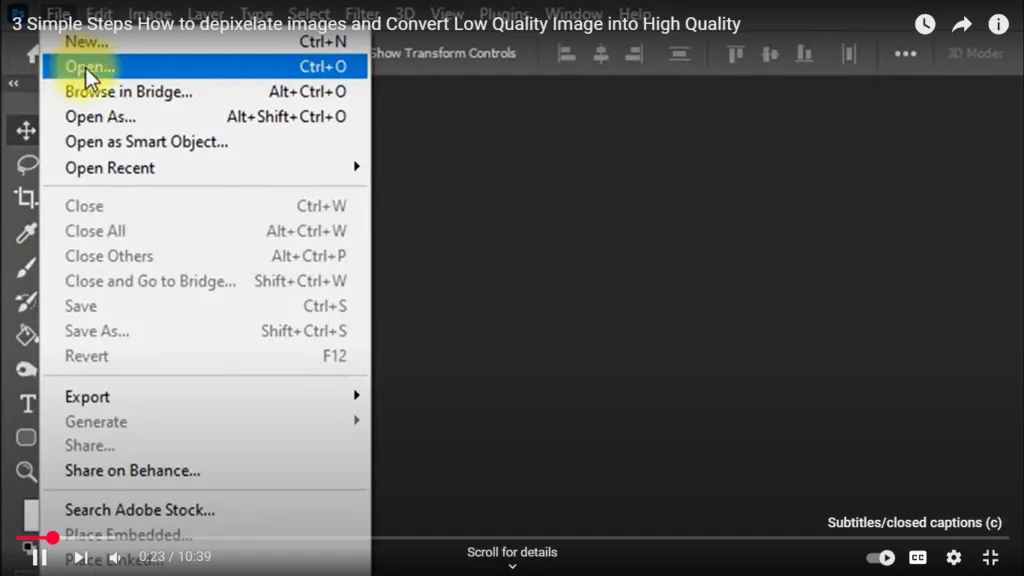
Step 1: Open Photoshop software on your Desktop by double-clicking on it. After opening Photoshop go to the File menu and Click on the Open option. Then open the image you wish to convert into a high quality.
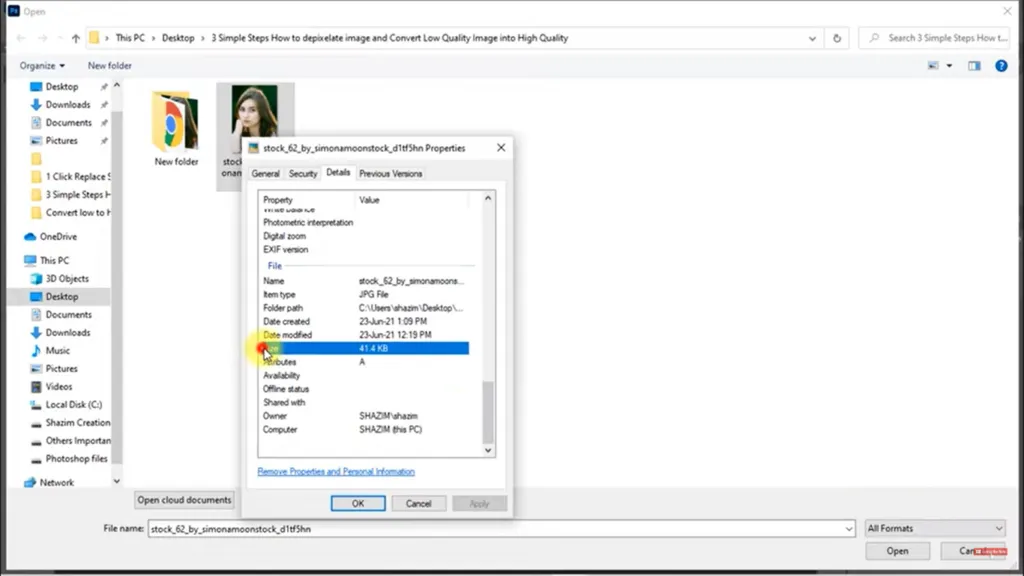
Step 2: The low-quality image is now open on Photoshop software. Then click on the Edit option, click on Preferences and then Select Technological Preview. A dialogue box opens.
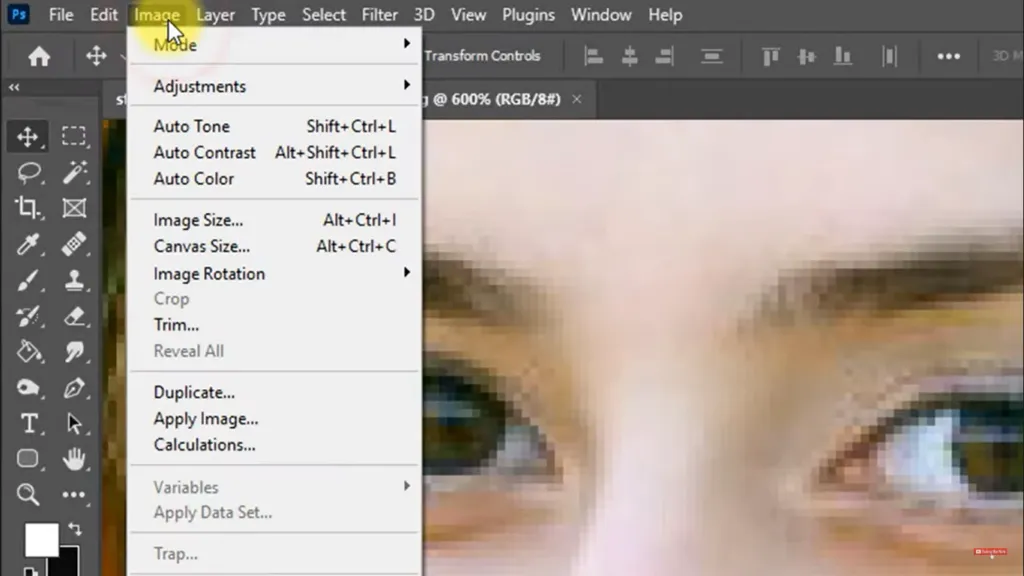
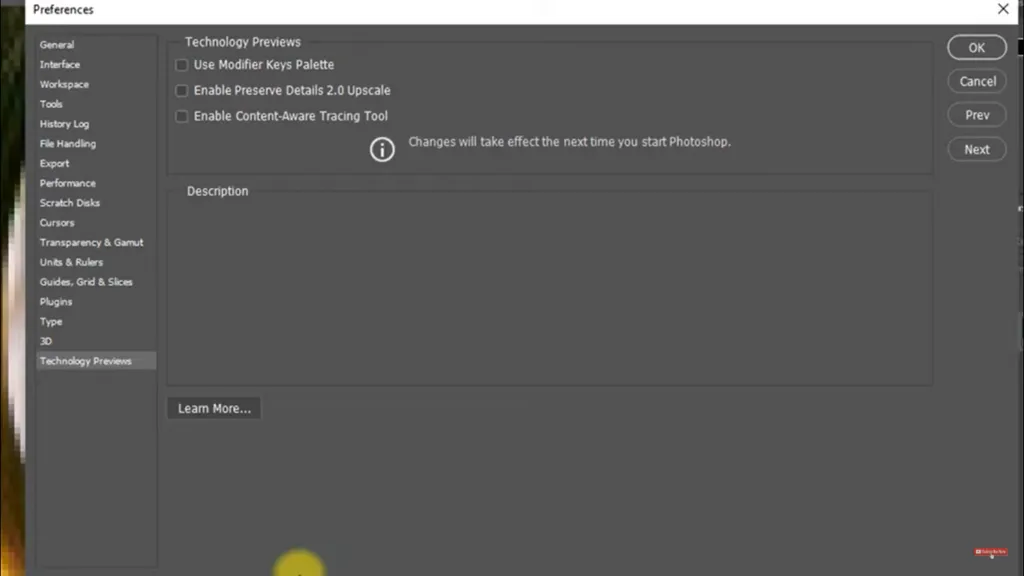
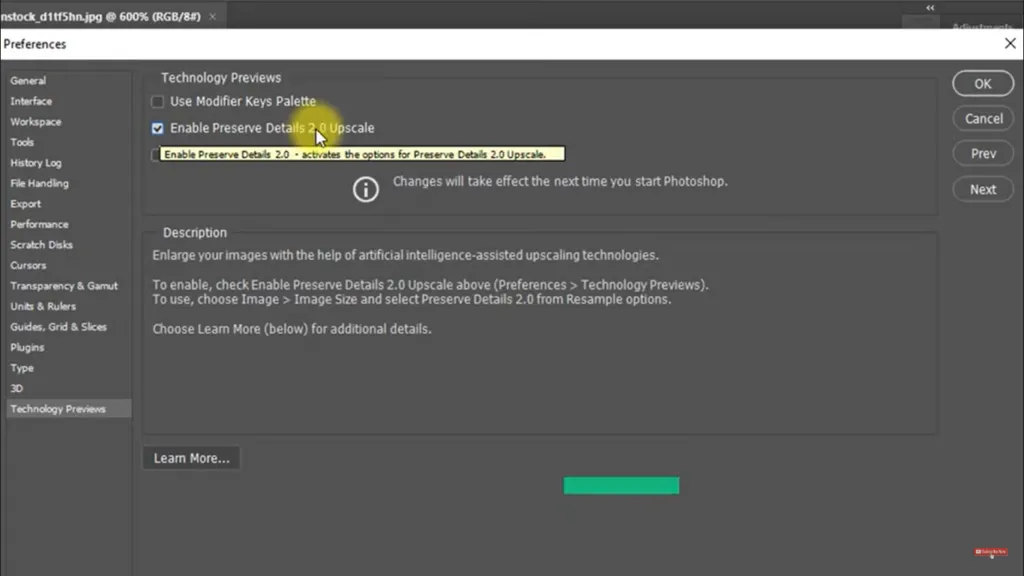
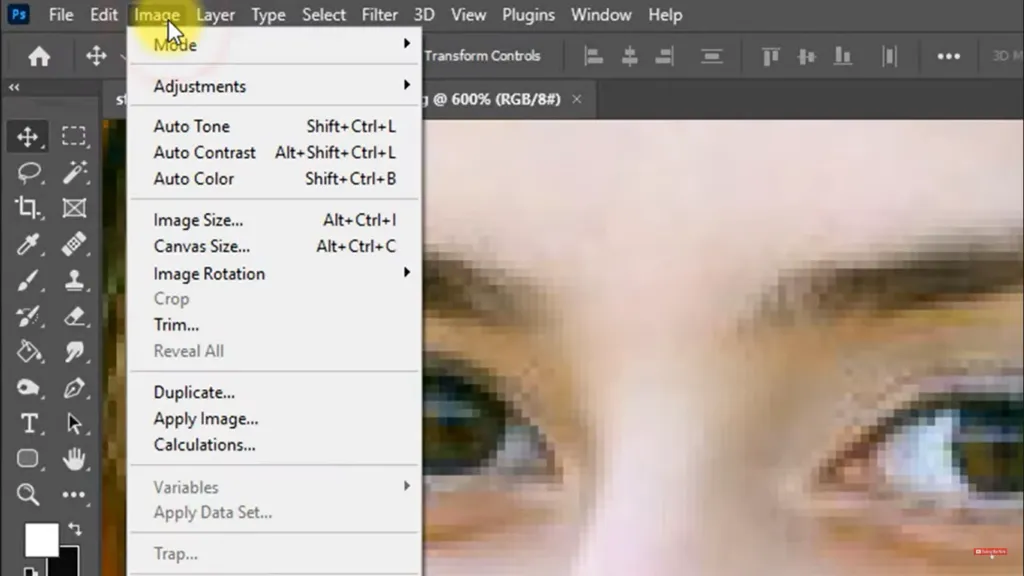
Step 3: From the dialogue box click on the Enable the Preserve Details 2.0 Upscale and then click on Ok button in the dialogue box. Next go to Image then select Image size
Step 4: A dialogue box opens up and click on the Automatic option from the downward menu in the Resample option and then type in the desired image size in the Width and Height option of the Image size dialogue box.
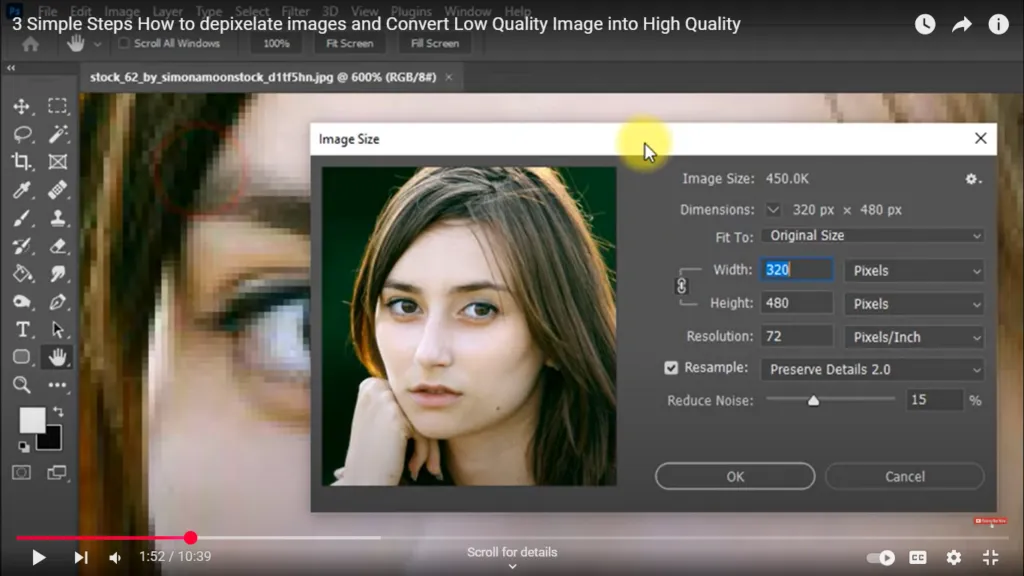
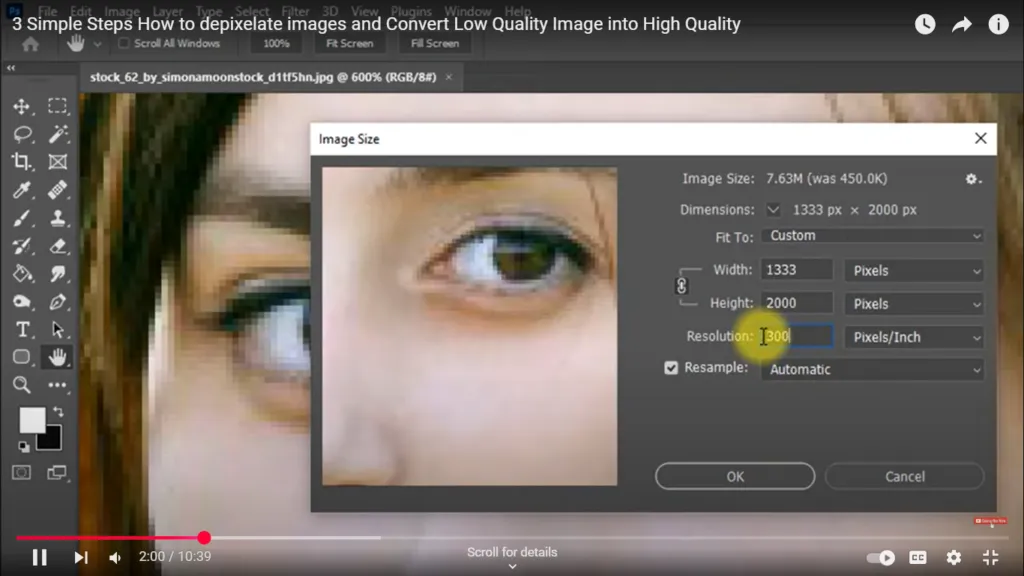
Step 5: Enlarge the image and then select the Preserve Details (enlargement) option in the Resample option. Then next select the Preserve Details 2.0 option and check the output of the image.
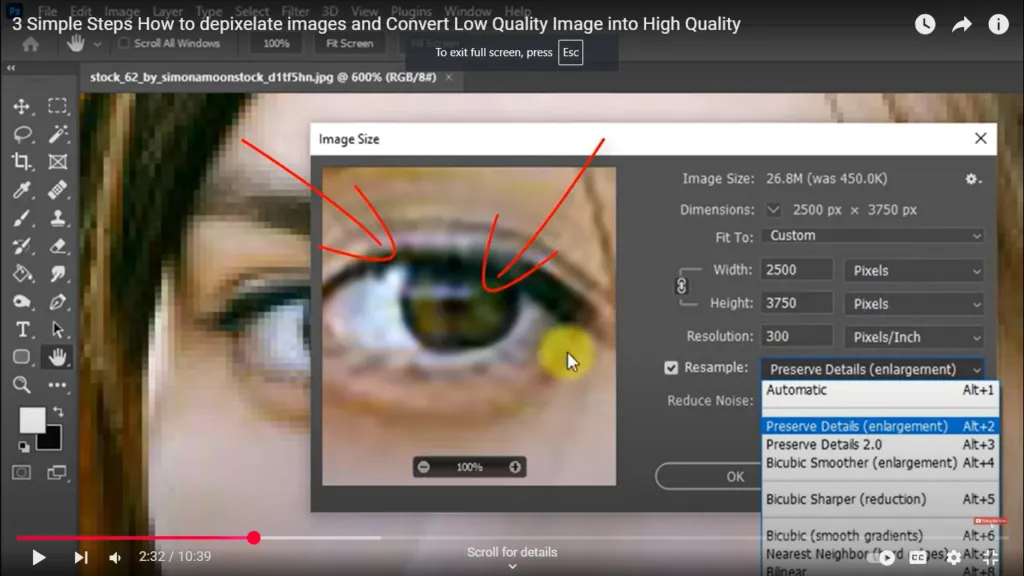
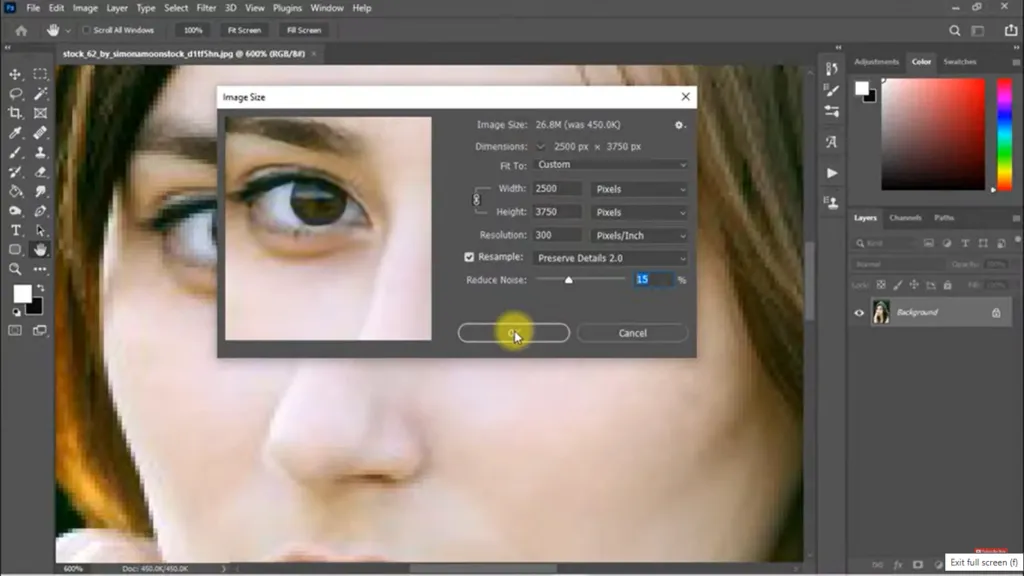
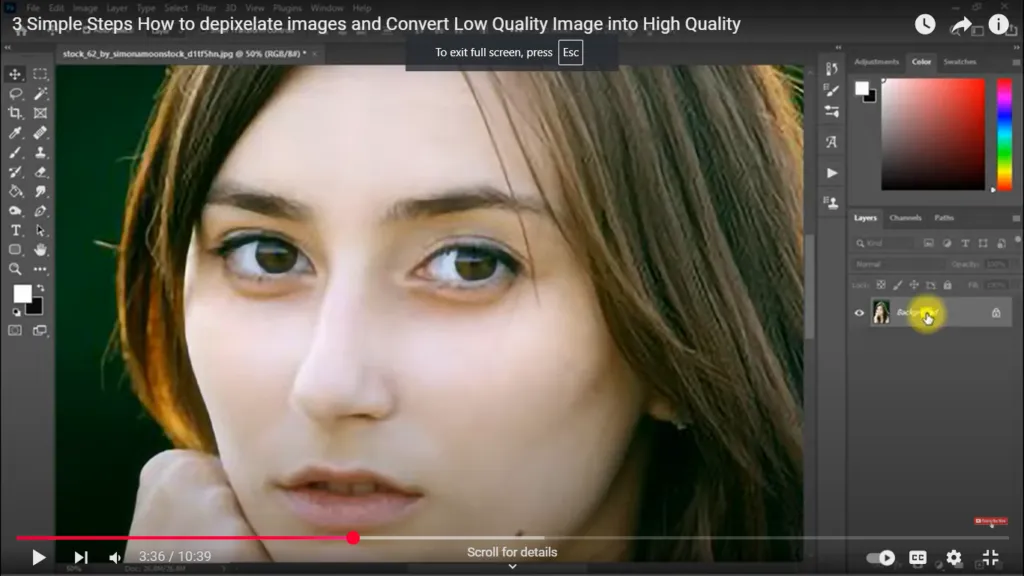
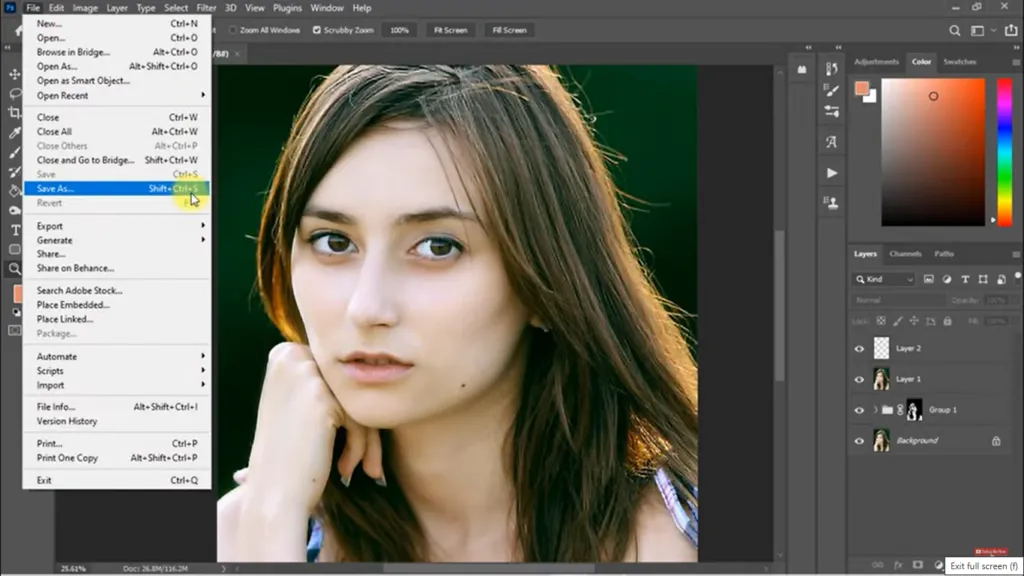
Step 6: Now the vector image is converted into high quality and then click on the File option and from there select Save As option to save the image and click Ok.
What Size in Pixels is A4
An A4 paper size measures 21 x 29.7 cm, which translates to approximately 2480 x 3508 pixels at 300 DPI. This size ensures that printed documents maintain high quality without pixelation.
Understanding DPI
DPI stands for dots per inch and measures how many individual dots of ink a printer can produce within one inch of paper. For high-quality prints, a DPI of at least 300 is recommended; anything lower may result in poor print quality.
Higher DPI values mean more detail and sharper images, making them ideal for professional photographs, marketing materials, and fine art prints. Lower DPI settings might work for everyday prints but can cause images to appear blurry or pixelated when enlarged. Understanding DPI is crucial for selecting the right resolution based on the purpose, ensuring clear and crisp results.
What is 300DPI in Pixels?
When converted for printing purposes, 300 DPI means that an image should have a pixel dimension that matches its physical size multiplied by 300.
For example, if you want to print a 4 x 6-inch photo at 300 DPI, the image should be 1200 x 1800 pixels. Similarly, an A4 size image (8.27 x 11.69 inches) should ideally be 2480 x 3508 pixels at 300 DPI for optimal print quality. An A4 page (21 x 29.7 cm) at 300 DPI would require an image size of approximately 2480 x 3508 pixels.
This resolution ensures sharp, clear images without pixelation, making it ideal for professional prints like brochures, posters, and photography. Understanding these dimensions helps maintain image clarity and detail in both digital and print formats.
What is Higher Quality Jpeg or Png?
When comparing JPEG and PNG formats:
- JPEG files are compressed and suitable for photographs but may lose some detail.
- PNG, on the other hand, supports transparency and maintains higher quality due to lossless compression, making it ideal for van diagrams and images requiring sharp edges.
Image Resolution Improves Quality of an Image!
Knowledge about image resolution is imperative to generating top-quality photographs that meet professional standards in fields such as photography, graphic design, and marketing. Understanding DPI and PPI, as well as methods of checking and improving image quality with tools like Photoshop, will help all individuals and businesses ensure their visuals make an impact.
Whether you are producing marketing materials or editing photos for print, you can reach out to us for all of your professional work needs.

A digital and print specialist with over decades of experience ranging from design to production, Nimesh is committed to quality and working with clients to add value to their businesses. His technical knowledge of print machinery operation is matched only by his love of the print industry.